Quick look on performance and power usage of Aoostar R1 N150
2088 words, 10 minutes
I bought a noname 2 bays NAS that looks like the Aoostar R1 N150.
And before putting it into production, I had a quick look on how it performs on various OSes and how many watts it eats.
The are quite a few references for this model on AliExpress. The main difference is you can get an Intel N150 or an AMD R7 5825U machine. I choose the N150 because of the price and the fact that its TDP is 6 W when the 5825U is 45 W.
My model is the Intel(R) N150 (4 cores @ 3.6 GHz), should support up to 32 GB of DDR4 and has two Intel I226-V network cards.
2025-09-24: it does indeed supports 32 GB. I use a Kingston FURY Impact 32GB 3200MHz DDR4 CL20 in OmniOS now.
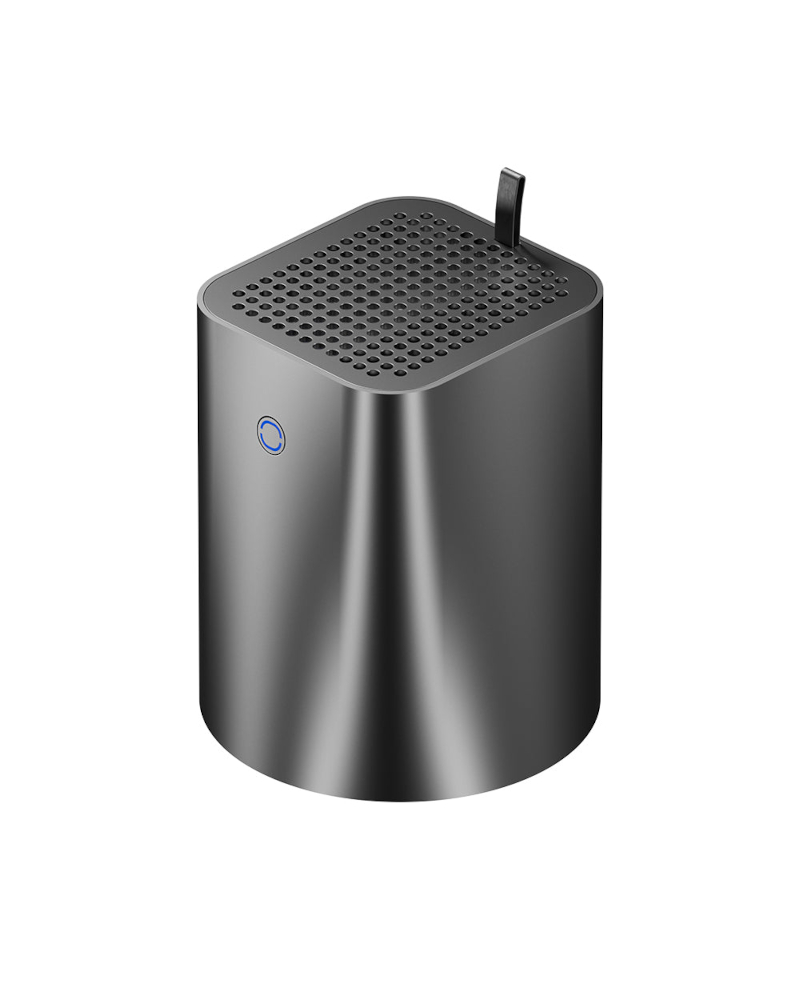
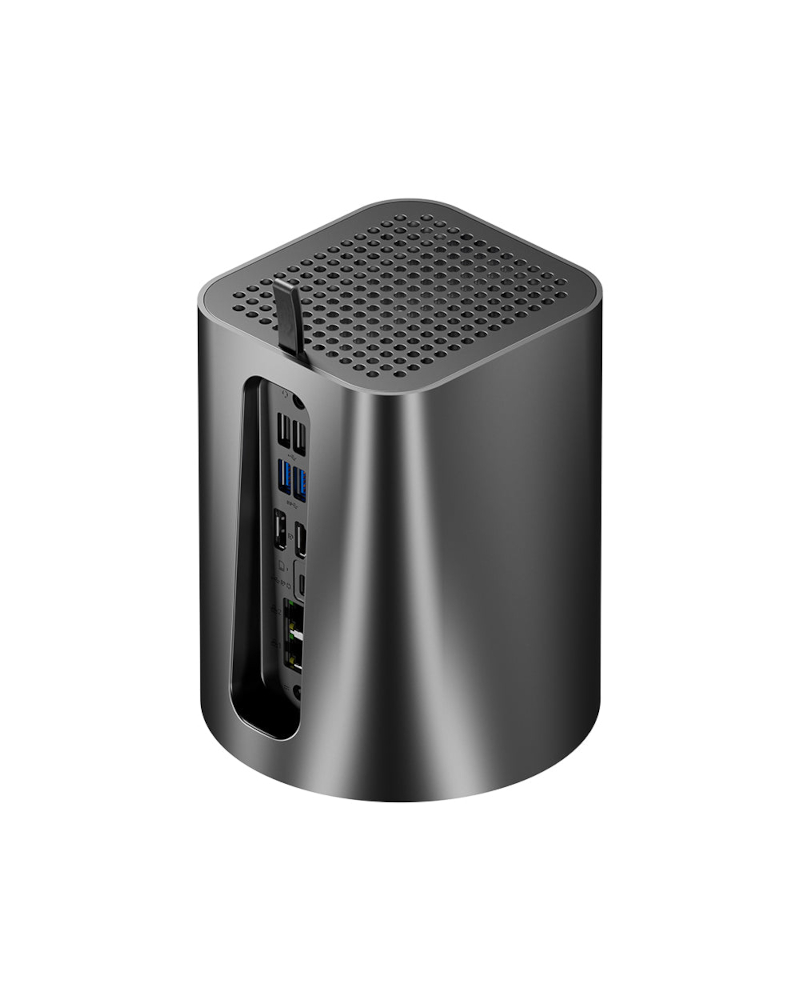
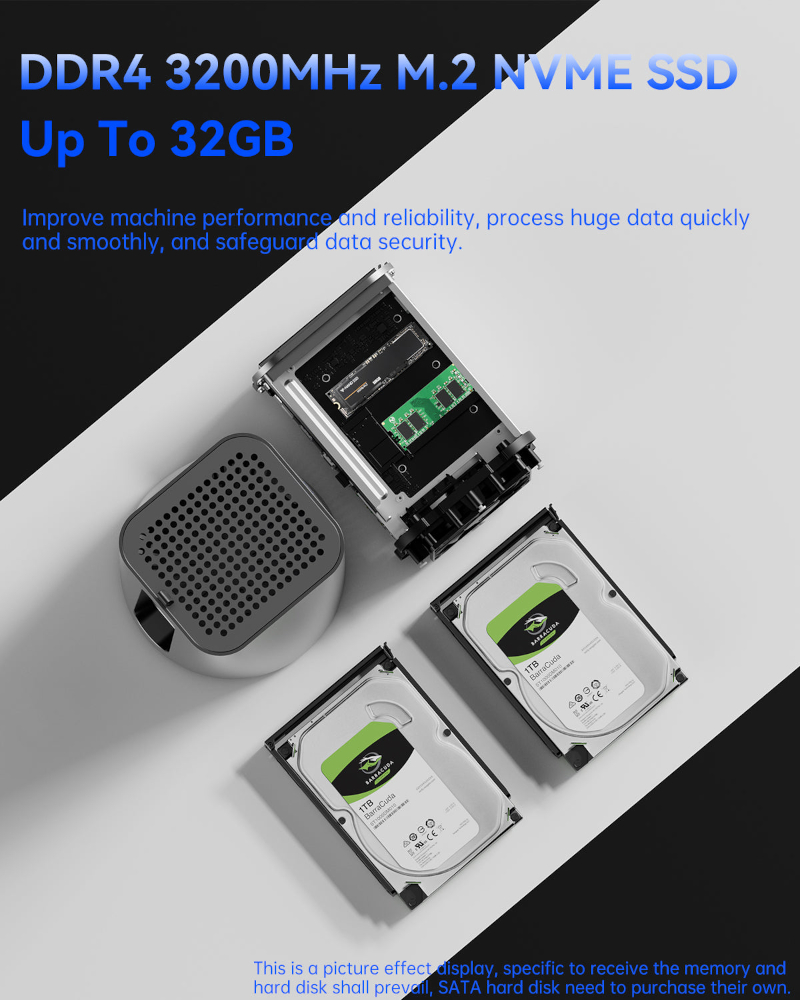

The exact reference in the BIOS is “TianBei WTR N1” and the boot splash screen shows an AOOSTAR logo. So it’s probably not that far from the “original” AOOSTAR machine. The same specs are also available on the Topton NAS R1 PRO, some CHATREEY unlabelled machine and a few other noname models; all looking the same.
To get a first idea on how it performs, I just put an 8GB RAM stick and a 4TB NVMe. I’ll add SATA disks later on when I have decided which OS I want to use.
The power consumption is gathered from a Fibaro FGWP102 connected to Home Assistant.
Debian 13.1
Once installed, the machine IDLEs at 9 W. Using powertop doesn’t seem
to do better that this.
The network tests, using iperf3, used about 11 W.
$ iperf3 -c example.com -n 24G
(...)
[ ID] Interval           Transfer     Bitrate         Retr
[  5]   0.00-228.00 sec  24.0 GBytes   904 Mbits/sec    0            sender
[  5]   0.00-228.00 sec  24.0 GBytes   904 Mbits/sec                  receiver
Using the stress software drew about 22 W from the wall.
# stress --cpu 2 --io 1 --vm 1 --vm-bytes 4G --hdd 1 --timeout 1m
stress: info: [5290] dispatching hogs: 2 cpu, 1 io, 1 vm, 1 hdd
stress: info: [5290] successful run completed in 60s
The couple of commands used to evaluate storage performance revealed a power consumption of about 20 W.
# bonnie++ -u 1000 -d /home/joel -r 16384
(...)
Version 2.00a       ------Sequential Output------ --Sequential Input- --Random-
                    -Per Chr- --Block-- -Rewrite- -Per Chr- --Block-- --Seeks--
Name:Size etc        /sec %CP  /sec %CP  /sec %CP  /sec %CP  /sec %CP  /sec %CP
nas             32G  732k  99  1.3g  98  587m  93 2748k  99  1.3g  81  6999 150
Latency             12815us   26648us   28074us    6561us    6268us    5726us
Version 2.00a       ------Sequential Create------ --------Random Create--------
nas                 -Create-- --Read--- -Delete-- -Create-- --Read--- -Delete--
              files  /sec %CP  /sec %CP  /sec %CP  /sec %CP  /sec %CP  /sec %CP
                 16 16384  97 +++++ +++ 16384  93 16384  98 +++++ +++ +++++ +++
Latency               546us    1237us    1847us     216us      10us    1153us
1.98,2.00a,nas,1,1758417900,32G,,8192,5,732,99,1409015,98,600857,93,2748,99,1317627,81,6999,150,16,,,,,15537,97,+++++,+++,31206,93,23006,98,+++++,+++,+++++,+++,12815us,26648us,28074us,6561us,6268us,5726us,546us,1237us,1847us,216us,10us,1153us

# dd if=/dev/urandom of=TEST bs=10M status=progress
566+0 enregistrements lus
566+0 enregistrements écrits
5934940160 octets (5,9 GB, 5,5 GiB) copiés, 33,5572 s, 177 MB/s

# dd if=/dev/zero of=TEST bs=10M status=progress
3596+0 enregistrements lus
3596+0 enregistrements écrits
37706792960 octets (38 GB, 35 GiB) copiés, 23,6143 s, 1,6 GB/s
After installing Xfce on Xorg, I could watch, fullscreen, 1080p and 4K YouTube videos in Firefox ESR. This required about 17 W.
FreeBSD 14.3
The installation process used about 12 W.
While the server was IDLE, with USB dock and HDMI connected, it also
used about 12 W. When disconnecting both, it went down to 11 W. Using
powerd didn’t change the power consumption.
The network tests, using iperf3, used about 11 W.
$ iperf3 -c example.com -n 24G
(...)
[ ID] Interval           Transfer     Bitrate         Retr
[  5]   0.00-220.01 sec  24.0 GBytes   937 Mbits/sec    0            sender
[  5]   0.00-220.02 sec  24.0 GBytes   937 Mbits/sec                  receiver
Using the stress software drew about 21 W from the wall.
# stress --cpu 2 --io 1 --vm 1 --vm-bytes 4G --hdd 1 --timeout 1m
stress: info: [1799] dispatching hogs: 2 cpu, 1 io, 1 vm, 1 hdd
stress: info: [1799] successful run completed in 60s
The couple of commands used to evaluate storage performance revealed a power consumption of about 21 W.
# bonnie++ -u 1000 -d /tmp -r 16384
(...)
Version  1.98       ------Sequential Output------ --Sequential Input- --Random-
                    -Per Chr- --Block-- -Rewrite- -Per Chr- --Block-- --Seeks--
Name:Size etc        /sec %CP  /sec %CP  /sec %CP  /sec %CP  /sec %CP  /sec %CP
nas             32G  449k  99  1.7g  96  1.2g  96 1044k 100  2.9g  99 +++++ +++
Latency             19235us    6055us    7214us    9375us     272us    1386us
Version  1.98       ------Sequential Create------ --------Random Create--------
nas                 -Create-- --Read--- -Delete-- -Create-- --Read--- -Delete--
              files  /sec %CP  /sec %CP  /sec %CP  /sec %CP  /sec %CP  /sec %CP
                 16 +++++ +++ +++++ +++ +++++ +++ +++++ +++ +++++ +++ +++++ +++
Latency               905us      43us      60us     891us      25us      57us
1.98,1.98,nas,1,1758396880,32G,,8192,5,449,99,1783834,96,1285588,96,1044,100,3023117,99,+++++,+++,16,,,,,+++++,+++,+++++,+++,+++++,+++,+++++,+++,+++++,+++,+++++,+++,19235us,6055us,7214us,9375us,272us,1386us,905us,43us,60us,891us,25us,57us

# dd if=/dev/urandom of=TEST bs=10M status=progress
^C4928307200 bytes (4928 MB, 4700 MiB) transferred 17.005s, 290 MB/s
472+0 records in
472+0 records out
4949278720 bytes transferred in 17.120202 secs (289089971 bytes/sec)

# dd if=/dev/zero of=TEST bs=10M status=progress
^C32893829120 bytes (33 GB, 31 GiB) transferred 14.001s, 2349 MB/s
3256+0 records in
3255+0 records out
34131148800 bytes transferred in 14.535346 secs (2348148308 bytes/sec)
I couldn’t have Xorg working. It seems the Intel GPU is not recognized and has no DRM device attached.
NetBSD 10.1
The installation process used about 17 W. When the server is in IDLE mode, it used about 13 W.
The network tests, using iperf3, used about 15 W.
# iperf3 -c example.com -n 24G
(...)
[ ID] Interval           Transfer     Bitrate         Retr
[  7]   0.00-267.01 sec  24.0 GBytes   772 Mbits/sec    0            sender
[  7]   0.00-267.02 sec  24.0 GBytes   772 Mbits/sec                  receiver
The couple of commands used to evaluate storage performance revealed a power consumption of about 19 W.
# bonnie++ -u 1000 -d /home/joel -r 16384
(...)
Version  1.98       ------Sequential Output------ --Sequential Input- --Random-
                    -Per Chr- --Block-- -Rewrite- -Per Chr- --Block-- --Seeks--
Name:Size etc        /sec %CP  /sec %CP  /sec %CP  /sec %CP  /sec %CP  /sec %CP
nas.home.arpa   32G  788k  99  617m  88  540m  93 2304k  99  1.6g  75  4766 174
Latency             12568us     140ms     235ms    2981us    3707us     174ms
Version  1.98       ------Sequential Create------ --------Random Create--------
nas.home.arpa       -Create-- --Read--- -Delete-- -Create-- --Read--- -Delete--
              files  /sec %CP  /sec %CP  /sec %CP  /sec %CP  /sec %CP  /sec %CP
                 16 +++++ +++ +++++ +++ +++++ +++ +++++ +++ +++++ +++ +++++ +++
Latency              2427us      14us      30us    2401us      17us      34us
1.98,1.98,nas.home.arpa,1,1758406732,32G,,8192,5,788,99,631614,88,553225,93,2304,99,1695531,75,4766,174,16,,,,,+++++,+++,+++++,+++,+++++,+++,+++++,+++,+++++,+++,+++++,+++,12568us,140ms,235ms,2981us,3707us,174ms,2427us,14us,30us,2401us,17us,34us

# dd if=/dev/urandom of=TEST bs=10m
^C168+0 records in
168+0 records out
1761607680 bytes transferred in 33.233 secs (53007783 bytes/sec)

# dd if=/dev/zero of=TEST bs=10M
^C3897+0 records in
3896+0 records out
40852520960 bytes transferred in 37.021 secs (1103495879 bytes/sec)
Xfce on Xorg worked but only in VESA mode; I got a 1024x768 resolution on my 4K monitor. Because it was using VESA, I didn’t even try watching 1080p or 4K video.
OpenBSD 7.7
The installation process used from 13 W to 21 W depending on what it was doing. The 21 W were consumed when the kernel was prepared.
When the server is IDLE, it gets 11 W from the wall.
The network tests, using iperf3, used about 15 W.
# iperf3 -c example.com -n 24G
(...)
[ ID] Interval           Transfer     Bitrate         Retr
[  4]   0.00-219.02 sec  24.0 GBytes   941 Mbits/sec    0            sender
[  4]   0.00-219.21 sec  24.0 GBytes   940 Mbits/sec                  receiver
Using the stress software drew about 19 W from the wall.
# ulimit -d unlimited

# stress --cpu 2 --io 1 --vm 1 --vm-bytes 4G --hdd 1 --timeout 1m
stress: info: [88494] dispatching hogs: 2 cpu, 1 io, 1 vm, 1 hdd
stress: info: [88494] successful run completed in 60s
The couple of commands used to evaluate storage performance revealed a power consumption of about 18 W.
# bonnie++ -u 1000 -d /home/joel -r 16384
(...)
Version  1.97       ------Sequential Output------ --Sequential Input- --Random-
Concurrency   1     -Per Chr- --Block-- -Rewrite- -Per Chr- --Block-- --Seeks--
Machine        Size K/sec %CP K/sec %CP K/sec %CP K/sec %CP K/sec %CP  /sec %CP
nas.home.arpa   32G  1057  99 921985  99 449441  71  1215  99 686757  69  4465 260
Latency              7972us   26737us     101ms    8120us     703us     172ms
Version  1.97       ------Sequential Create------ --------Random Create--------
nas.home.arpa       -Create-- --Read--- -Delete-- -Create-- --Read--- -Delete--
              files  /sec %CP  /sec %CP  /sec %CP  /sec %CP  /sec %CP  /sec %CP
                 16 11150  26 +++++ +++ 22585  27 13661  22 +++++ +++ 15747  42
Latency             11260us     319us    6552us    6160us      16us     304ms
1.97,1.97,nas.home.arpa,1,1758397515,32G,,1057,99,921985,99,449441,71,1215,99,686757,69,4465,260,16,,,,,11150,26,+++++,+++,22585,27,13661,22,+++++,+++,15747,42,7972us,26737us,101ms,8120us,703us,172ms,11260us,319us,6552us,6160us,16us,304ms

# dd if=/dev/urandom of=TEST bs=10M
^C359+0 records in
359+0 records out
3764387840 bytes transferred in 25.516 secs (147530484 bytes/sec)

# dd if=/dev/zero of=TEST bs=10M
^C2661+0 records in
2660+0 records out
27892121600 bytes transferred in 25.965 secs (1074219973 bytes/sec)
Running Xfce on Xorg, Firefox ESR displays 1080p YouTube videos correctly. 4K videos drop a few frames. When using mpv with vaapi, the Buck Bunny 4K video renders properly in fullscreen. None of those used more than 17 W.
OmniOS
I first tried installing the Stable r151054r release but it kept crashing while creating the bootable environments. When I used Bloody 20250902, everything went good.
Post testings update: I could install r151052b, then upgrade to
r151054r using pkg. So there may just be a bug in 54r installer.
The installation process ate between 16 W and 19 W, depending on moments.
When IDLE, the server uses between 11 W and 13 W.
The network tests, using iperf3, used about 11 W.
# iperf3 -c example.com -n 24G
[ ID] Interval           Transfer     Bitrate
[  6]   0.00-220.00 sec  24.0 GBytes   937 Mbits/sec                  sender
[  6]   0.00-220.14 sec  24.0 GBytes   936 Mbits/sec                  receiver
Using the stress-ng software drew about 20 W from the wall.
# stress-ng --cpu 2 --vm 1 --hdd 1 --fork 8 --timeout 1m --metrics
stress-ng: info:  [519] setting to a 1 min run per stressor
stress-ng: info:  [519] dispatching hogs: 2 cpu, 1 vm, 1 hdd, 8 fork
stress-ng: metrc: [519] stressor       bogo ops real time  usr time  sys time   bogo ops/s     bogo ops/s CPU used per       RSS Max
stress-ng: metrc: [519]                           (secs)    (secs)    (secs)   (real time) (usr+sys time) instance (%)          (KB)
stress-ng: metrc: [519] cpu               91272     60.01    100.32      0.83      1520.89         902.30        84.28             0
stress-ng: metrc: [519] vm                    0     65.63      0.08      1.56         0.00           0.00         2.50             0
stress-ng: metrc: [519] hdd              964791     60.04     18.26     30.10     16068.79       19950.86        80.54             0
stress-ng: metrc: [519] fork             109177     60.00     17.75     38.98      1819.59        1924.42        11.82             0
stress-ng: metrc: [519] miscellaneous metrics:
stress-ng: metrc: [519] hdd                 1562.84 MB/sec read rate (harmonic mean of 1 instance)
stress-ng: metrc: [519] hdd                 1556.74 MB/sec write rate (harmonic mean of 1 instance)
stress-ng: metrc: [519] hdd                 1559.74 MB/sec read/write combined rate (harmonic mean of 1 instance)
stress-ng: info:  [519] skipped: 0
stress-ng: info:  [519] passed: 12: cpu (2) vm (1) hdd (1) fork (8)
stress-ng: info:  [519] failed: 0
stress-ng: info:  [519] metrics untrustworthy: 0
stress-ng: info:  [519] successful run completed in 1 min, 5.63 secs
The couple of commands used to evaluate storage performance revealed a power consumption from 17 W to 19 W.
# dd if=/dev/urandom of=TEST bs=10M
208+0 records out
2181038080 bytes (2.0 GiB) transferred in 37.192996 secs (56 MiB/sec)

# dd if=/dev/zero of=TEST bs=10M
4430+0 records out
46451916800 bytes (43 GiB) transferred in 21.538544 secs (2.0 GiB/sec)
I still have not yet understood how to install an Xorg desktop environment on an Intel GPU based system. So I have no feedback on this subject.
Overview on numbers
Disclaimer: There are probably specific customizations that could improve those numbers. Filesystem and memory usage also impact numbers. What was important to me was to see if there were huge difference that could justify the choice of an OS.
| Debian | FreeBSD | NetBSD | OpenBSD | OmniOS | |
|---|---|---|---|---|---|
| IDLE | 9 W | 11 W | 13 W | 11 W | 12 W |
| Network speed | 904 Mbps | 937 Mbps | 772 Mbps | 940 Mbps | 936 Mbps |
| Network power | 11 W | 11 W | 15 W | 15 W | 11 W |
| Global stress | 22 W | 21 W | n/a | 19 W | 20 W |
| Write speed | 1.6 GB/s | 2.19 GB/s | 1.03 GB/s | 1.00 GB/s | 2.15 GB/s |
| I/O power | 20 W | 21 W | 19 W | 18 W | 18 W |
One more thing

The machine has 2 fans. One at the bottom that takes air from beneath and blow it upward, one on the CPU radiator. When the server is IDLE, I can hear them if I really pay attention to those, the machine being like 25cm from my keyboard. During the testing, them became a bit loader but far less than my ThinkPad T480s when I watch a YouTube video. I expect this machine to be silent when it will be stored in the HomeLab space, one meter or so from me.